You can make quality herbarium labels just by entering iNaturalist or Mushroom Observer observation numbers into this website. I just added a feature that allows you to quickly make labels for everything you found on any given day.
The QR encodes the iNaturalist URL - this makes it really easy to scan a label with your phone to see the photos, and for people who are DNA barcoding your finds to quickly enter the observation number into their spreadsheets with a barcode reader so they don’t have to type out each observation number.
It gives you labels in RTF format, which is easy to edit and print with Libreoffice / MS Word - or in PDF, which is easy to print without any additional software.
Online label generator: https://images.mushroomobserver.org/labels
pro tip: If you print the labels on card stock which has cotton, they will feel professional and last for hundreds of years in a herbarium.
More details and source code: https://github.com/AlanRockefeller/inat.label.py
I am happy to edit the code if anyone needs any additional features or label fields.
This is amazing. I add iNat QR codes on my labels that have matching iNat observations, but this tool could really streamline my process. I have a few questions/requests:
-I very rarely add captions to my iNat observations, which means I would need to add a habitat description to each label after generation. Would you be able to make a way to add captions/descriptions to each label before generation?
-Any way to customize which fields we want to generate and/or formatting? For my own labels I would want to rename, remove, and re-order some of them.
It currently adds the contents of the notes field to the labels, which is where I put my habitat info. If you put your habitat info somewhere else (like an observation field) I could easily make it pick that up and add it - or you can download in RTF format, then edit the labels in MS Word / LibreOffice Writer to add more info in. I use LibreOffice Writer to print them and often do a once over to make sure everything looks good, delete unnecessary fields (often the common name) and delete any labels for observations where I didn’t save a specimen.
It’s really easy to add more observation fields that it picks up and adds to the labels, just like it adds the DNA Barcode ITS or Voucher Number fields.
This is really interesting. I do lots of insect voucher specimens, both from iNaturalist and BugGuide observations. In addition to the standard data label, I add an additional handwritten label with the iNaturalist observation number (or in some cases BugGuide).
I’d love to be able to create labels like this with just observation #s and QR codes on a smaller label suitable for entomological collections (mine are typically 6 mm tall and 14-16 mm long).
It’s certainly possible to customize and re-order which fields get printed - just need to think of the best way to do that.
Would you want only observation # and QR code - no scientific name?
Would you want only observation # and QR code - no scientific name?
Yes, ideally. I have dedicated labels for locality/collection info and for determination. A label with just the number and code would be great.
Nice work!
This is another use case where it shows how problematic it is that the iNaturalist taxonomic database is storing scientific names without authorship.
When curating collections that have “aged” a bit, the authorship behind scientific names is highly useful to fetch the currently valid name, in case the genus has changed. I don’t understand why iNaturalist is not recording this.
I miss the citation after the scientific taxon name. Maybe it could be pulled from IPNI? Also, one may want to use a different synonym.
Also, I do not particularly like the term “GPS coordinates” as GPS is just one of the GNSS services providing geographic coordinates in some particular coordinate system.
This is very cool. I use iNaturalist data to generate herbarium labels via a very clunky and edit-heavy mailmerge process, so your tool seems magical. The main addition I would request is the family name which would aid greatly in specimen storage.
I do agree with those wanting taxon authorship, and the idea of pulling them from IPNI is interesting, but that index works only for vascular plants.
This is actually an incredibly helpful feature. @alan_rockefeller, can I publish a link/info about this tool on my website’s resources section (HerbSpeak.com/resources), giving credit to you?
I agree - and it has been mentioned before (e.g. here). There was a feature request and the response with reason for non-implementation. For now, I think it would be definitly worth it to open a discussion about this topic again- not here, but also not as a feature request (yet), but maybe to prepare another one in the future?
Wow, congrats for this tool, it’s awesome! I can already see it fitting right into some herbarium workflows we have in museums.
I also agree with the earlier comment about letting us tweak which fields appear. What would be amazing to me:
-
add the species author right after the Latin name (e.g., Quercus robur L., 1753);
-
pull extra info (like the collector number, collector(s), determiner, project, etc.) from iNat fields depending on people’s workflows or label templates, ideally automate this and let users tick which variables they want on the herbarium label.
The QR code and the PDF outputs are fantastic, this really makes me want to start printing right away! Thanks again and bravo for this work!
This will be useful, I intend to submit some herbarium samples late November or January
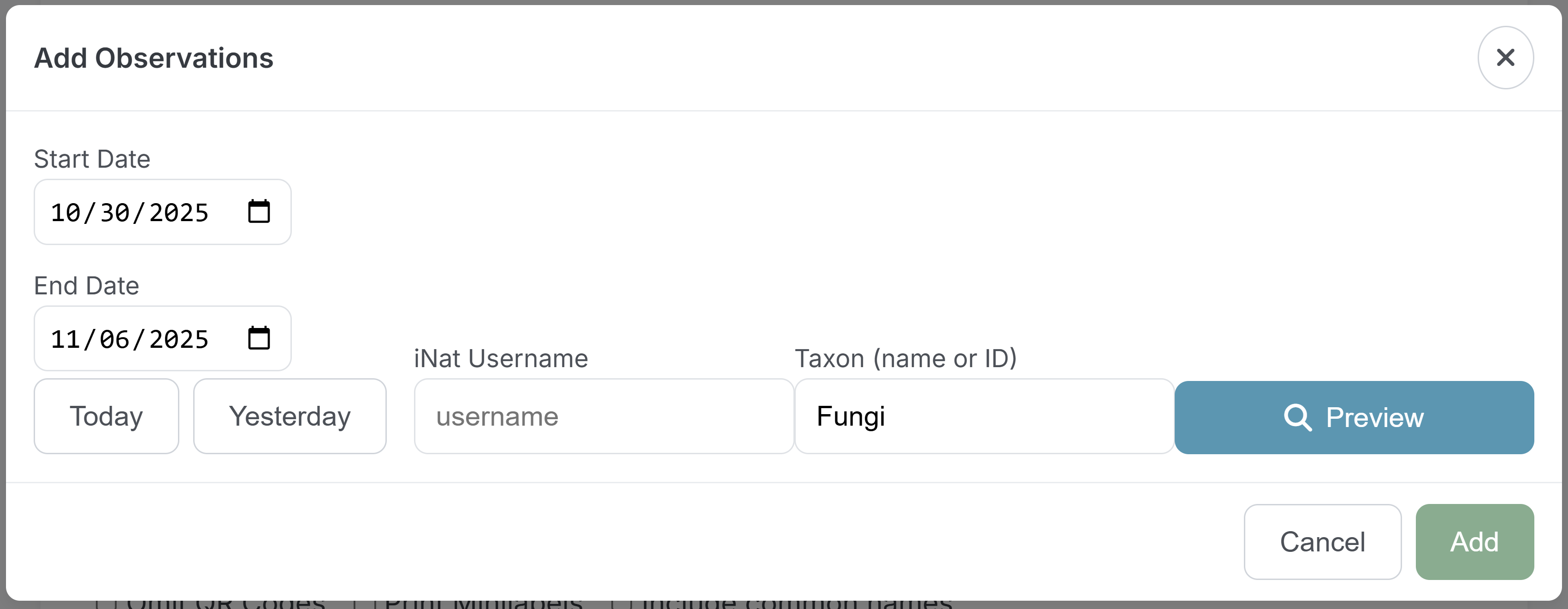
It now accepts a range of dates:
I also added minilabels for @bradbarnd and the ability to omit the QR code and include common names.
Amazing, thank you!
The only thing I’d like to see changed on the mini-labels is adding “iNaturalist” above the number. But in any case, I will be using this tool frequently.
@bradbarnd I wasn’t able to add iNaturalist above the observation number to the RTF labels due to limitations in the RTF protocol but I was able to do it with the PDF labels.
@alan_rockefeller Wonderful, that is perfect!