Web interface hangs under "Observations" in Chrome and Chrome-based browsers

platform: macbook OS 15.4.1

browser: Vivaldi and (partly affected) Chrome

url: https://www.inaturalist.org/observations

when trying to browse own observations

I am a new user (as in: created account today) and there is a single observation so far which I wanted to inspect through the webinterface on my computer. what I have seen:

  • using the apple browser (Safari) everything is fine.

  • using chrome it works sometimes, sometimes it hangs and chrome says “page is unresponsive”.
    when it works the initial zoom of the map is way to high (no details visible at all – homegeneous gray background with pink location spot shown) and one needs to zoom out massively to see a meaningful map. when it hangs, only an orange background is shown. at least backnavigation to previous page and other menu entries still work.

  • using Vivaldi (which uses the chrome rendering engine) it hangs reproducibly and screen is filled with orange background like in attached screenshot.
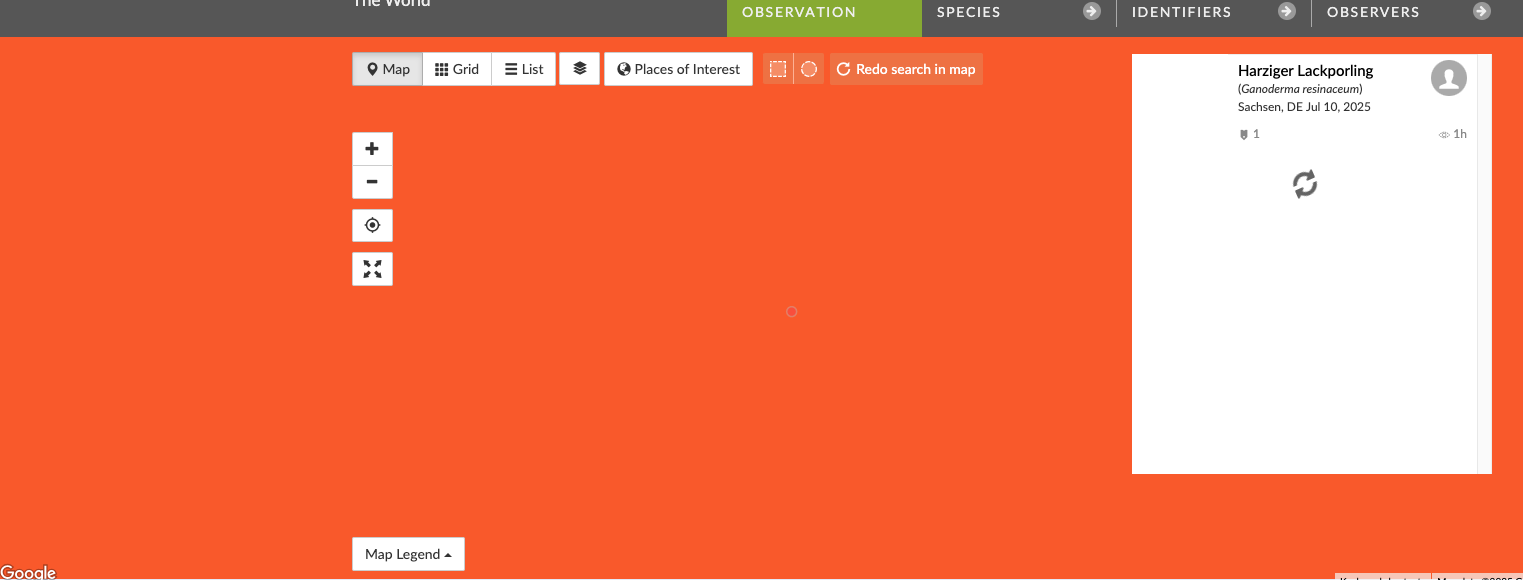
actually, at this point not only does the page not load but the window is completely unresponsive/blocked and one cannot select different menu entries/pages or even only back-navigate to previous page. only closing the browser tab completely is possible at this stage.

thank you,
joerg

Can you share the URL of the page in your screenshot? that is, the URL with the filters you used to display only that one observation? thank you!

1 Like

Nevermind, I see that it is your one observation, so https://www.inaturalist.org/observations?place_id=any&user_id=jvdh&verifiable=any - I get the same error initially (but not repeatedly) in Chrome on my end.

thanks for the feedback: yes, in chrome it does happen only sporadically (but recurring: not only initially: I was able to trigger it so far at least 3 times). in the Vivaldi browser it is much worse, happening every time.

you need to open up your browser’s developer tools and note any errors you see in the console.

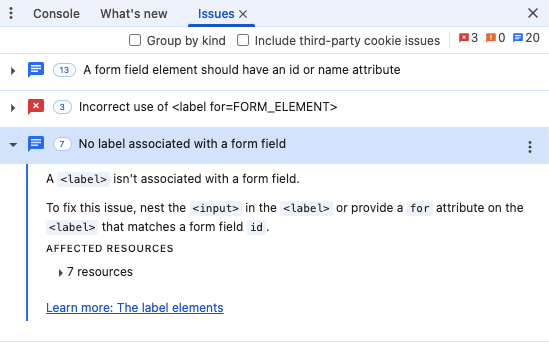
I’ve tried that in the Vivaldi browser (as said, it uses the chrome rendering engine). when triggering the previously described error I get the following output in the developer tools:


do you see the blocked by client error only when the page hangs on you?

I now have managed with a sufficient number of “open new tab, try to go to Observations, close tab if browser hangs” to make it sometimes work in Vivaldi, too, so that I can confirm that in fact that error message also is present when it accidentally works correctly (does not block/hang) for once.

what is different in this case is, that the “Issues” tab in the developer tool remains empty.

update: I’ve also double checked with chrome: there, the error message actually is not present (but as confirmed by bouteloua, chrome sporadically exhibits the same behaviour (hanging/blocking)

if you run Chrome in private mode, does that reduce the frequency of the issue?

if you minimize interaction with the page before it’s fully loaded (don’t move your mouse over the window), does that reduce the frequency of the issue?

I have not been able to replicate in either Chrome or Opera (which uses Chromium).

  • I have tried your proposal with Vivaldi since Chrome showed the issue much less (but > 0) anyway
  • for some reason the issue in vivaldi, too, appears much less (a couple hours ago it failed 100% now maybe 5-10% of the time
  • mouse movement during loading seems not to increase the frequency of the error (difficult to say now since now happening much less often etc.)
  • private mode might reduce the occurence (so far I was not able to trigger the error in private mode) but this is far from a definite finding so far…
  • regarding the phenomenology of the issue I have noted the following:
    during loading, rendering of the respective page changes in subtle ways. I see the following variants:
  1. a) a whole world map is shortly visible. b) this map vanishes and is shortly replaced by a frame filled with orange background (which is the state shown in the initially posted screenshot when the “freeze” happens), c) this display is replaced by an excessively zoomed in map (by excessive I mean: gray frame w/o any details, just a gray frame (plus observation location dot), only after a lot of zooming out a meaningful map becomes visible – this latter behaviour alone would seem like a bug to me)

  2. (re)load of that page immediately shows the max. zoom stage without first “flickering” through the orange background frame)

  3. browser freezes at stage b) of first scenario (orange background) – which is the problem I initially have reported.

overall, something seems fishy in the way the map is loaded, I presume. why I now see the issue/freeze much less than some hours ago also is quite strange. I am by no means into html/web programming but could the problem have to do with variable internet speed, ping times or similar when the browser communicates with the server? just guessing…

understood, thanks. see also my reply to pisum: the issue definitely is there with chrome, too (on macos anyway) but seems a moving target regarding frequency of occurrence. and right now it is usable even with Vivaldi, while some hours ago it did not work at all (with Vivaldi, that is)

what you’re describing sounds a bit like what i described over at https://forum.inaturalist.org/t/how-to-refresh-map-to-show-observations/25339/17. there, the issue was that the map would fail to display the observation markers, whereas you reported that the page would freeze altogether.

i can’t reproduce your issue though. so i’m not sure what you tell you.

no problem. I appreciate that I’ve received feedback at all. as said, I am now a 2d-user/member only. I have not yet understood the project “culture” etc. and do not know whether there are developers following this forum etc. I agree that it looks a bit like the issue you’ve linked to and of course such sporadic bugs are difficult to track down at the best of times…

but for the record: I have just tried again and visited

https://www.inaturalist.org/observations?place_id=any&user_id=jvdh&verifiable=any

11 times in Chrome (1/11 freezes) and 11 times in Vivaldi (2/freezes)

when reporting the issue yesterday, Vivaldi failed 10/10 one try after the other. but for me at least, the issue can be triggered with about 10 tries at least once, even with Chrome. if it where not happening in Chrome at all, I would of course blame Vivaldi. but as it stands there is something not quite right here (why Vivaldi is distinctly more susceptible than Chrome might be a different matter).

and this final bit of info: while in Vivaldi the affected Tab freezes completely and does not even recognize the keyboard shortcut for “close Tab” (only mouse click in the Tab bar does that), Chrome does not really freeze, but just “stops” after rendering the orange frame (so navigation still works etc.).

the new observation here:

when I visited the 11 opened tabs in chrome one after the other, when selecting the “frozen” one again, everything hung for a few seconds, fan of laptop was spinning up and then the page indeed was finally loaded correctly.

after letting the vivaldi window sit there with the 11 opened Tabs while writing this post I now also note that in the meantime (15 minutes?) the 2/11 frozen tabs have in fact also loaded correctly (not only when now visiting theTab again it seems: the display was promptly correct when selecting the Tab).

so whatever the reason, it really looks like a timing/synchronisation/communication issue to me.

PS:
if relevant, just tested my internet connection: download 92 Mbps, upload 35 Mbps, ping 19ms

1 Like

that sounds like a Vivaldi problem. if Chrome shows orange and doesn’t do anything else, this would suggest that it completes the auto-zoom step but is not able to get the new observation tiles for the new zoom level. that’s slightly different from what i noted back in the day. i would have guessed that this would have resulted at some point in error messages saying that the new map tile requests failed, but if you’re not getting such notes in the dev tools, then either you’re looking while the requests are still pending (which would suggest slowness somewhere in the delivery chain) or that the requests were never issued (maybe because it expected something to happen, but things happened in an unexpected order). you should be able to rule out the first possibility if you look at the dev tools network monitor and see that all requests have completed.

i’m guessing the tabs work some time later because they reload from scratch after falling into sleep mode. (it would be effectively the same thing as you just clicking the reload button.)

I have gotten the orange blob in Chrome and had the map then load successfully after 3-4 seconds for whatever that’s worth.

thanks. good that it’s not only me seeing this ;)

understood. will keep an eye on this. in the meantime I have uploaded 2 more observations taken at some other location by someone else and what I now see is, that when loading, sometimes distinct, separated orange squares appear before the final map loads. so my hypothesis is: the frame-filling orange background previously appearing with a single observation is probably just the square indicator on the map for that single observation and, furthermore, the situation with a single observation is special in as much as the requested autozoom is maximized – and maybe loading the tiles for max zoom for some reason is more data or rendering intensive?

that’s correct. the way the iNat web Explore page maps work, at lower zoom levels, they display observations in sort of a square grid where each cell’s opacity (orange-red in color) is determined based on the density of observations in the cell. at higher zoom levels, the map switches over to using pins as observation markers. when you transition from one zoom level to another, the original tiles will just get resized until the new tiles are available to replace them.

so the thing you need to find out is whether the new tiles are just taking a long time to get delivered or whether your page is failing to request the tiles. those are very different kinds of problems.

yes. overall (including the observation that if the tab sits there long enough the page seems to load, finally) I would presume it is the “long time to get delivered” scenario. but I wouldn’t know how to find out and prove this…

my naive hope would have been that someone in the know (a.k.a. developer at iNat?) could look into this if it is considered a real (and sufficiently relevant) bug?

for the record: now (with > 1 observations spatially separated by a couple 100km) I am currently not able to trigger the problem again (30 tries in a row worked just fine) – which is good. maybe I have just hit a corner-case bug: something is not quite right if there is only one observation.